
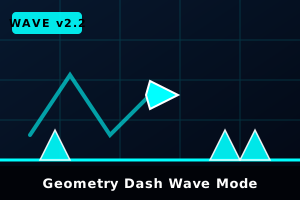
🌊 Geometry Dash Wave Mode Guide: 45° Slalom Physics & Speed Portal Mechanics
Geometry Dash Wave Mode represents the ultimate test of micro-clicking accuracy and rhythmic endurance in the Geometry Dash universe. Introduced originally in Update 1.9 and popularized by legendary extreme challenges like Nine Circles and Sonic Wave, the Wave transforms your icon into an aerodynamic triangle that darts diagonally upwards at an exact 45-degree angle whenever you hold, and plunges downwards the microsecond you release.
Unlike the standard cube or ship physics where jumping has arc deceleration or momentum drift, the Wave features instantaneous velocity vector response with zero floatiness. This browser edition provides genuine 60+ FPS hardware acceleration, ensuring your high-frequency spam clicks and subtle taps register without input latency.
⌨️ Master Controls Table — PC, Mac & Mobile
⚙️ Deep-Dive: Wave Physics, Portals & Hazard Rules
🔺 Constant 45° Angle Geometry
The Wave travels along rigid mathematical 45-degree vectors. A 100ms click moves the wave the exact same distance upwards as a 100ms release sends it downwards. Mastering tight 1-block corridors requires maintaining symmetrical rhythmic oscillation.
⚡ Speed Portals (0.5x to 4x)
Yellow (1x), Green (2x), Pink (3x), and Red (4x) speed portals dramatically alter horizontal velocity. Because the 45-degree climb angle stays constant, higher speeds require substantially faster click frequency to survive the same gap widths.
🔻 Mini-Wave Portal (Double Frequency)
Passing through a purple miniaturization portal reduces the wave size and doubles vertical ascent/descent velocity! The Mini-Wave is notoriously twitchy and requires feather-light micro-taps rather than sustained clicks.
🪓 Surface Collisions & D-Blocks
Unlike the cube which can slide along solid surfaces, the Wave instantly explodes upon colliding with any solid block or wall unless designated with a special 'D' block (Dash block) that allows sliding along slopes.
💡 Pro Tips to Master Sawtooth Corridors
-
🎯
Focus On The Apex Points: Don't look at the center of your wave icon. Instead, fix your eyes 2 to 3 grid spaces ahead at the tips of the upcoming ceiling and floor sawblades to time your transition turns ahead of time.
-
🎧
Rely On The Bass Drum Syncope: Wave sections are almost always synchronized directly to 16th-note drum rolls or bass synthesizers. Tap to the musical subdivisions rather than attempting pure visual reaction.
-
🕹️
Use Spacebar Over Mouse for High Clicks: Many competitive dashers prefer mechanical spacebar or Up-Arrow switches for Wave spam sections due to faster key rebound and less finger fatigue during long sessions.
❓ Frequently Asked Questions
Why does the wave die when touching flat blocks?
In Geometry Dash, the Wave has no walking or landing physics. Touching any solid tile immediately triggers a collision death unless the level creator specifically applied D-Blocks (Wave Dash Blocks) on top of the slope.
Can I play Wave Mode unblocked on school Chromebooks?
Yes! Our HTML5 WebGL version runs completely inside standard modern browsers without Flash plugins, executable downloads, or administrator permissions, making it 100% accessible anywhere.